AI workbench
SSH, Telnet, and SNMP collection keeps device facts beside AI analysis and its source evidence.
Network AI Ops is a local-first intelligent network operations workspace for network engineers, turning device management, topology discovery, AI inspection, endpoint tracing, and batch deployment into repeatable evidence-driven workflows.
Network troubleshooting often relies on personal experience and jumps across devices, topology, knowledge bases, and screenshots, making evidence hard to review.
SSH, Telnet, and SNMP collection keeps device facts beside AI analysis and its source evidence.
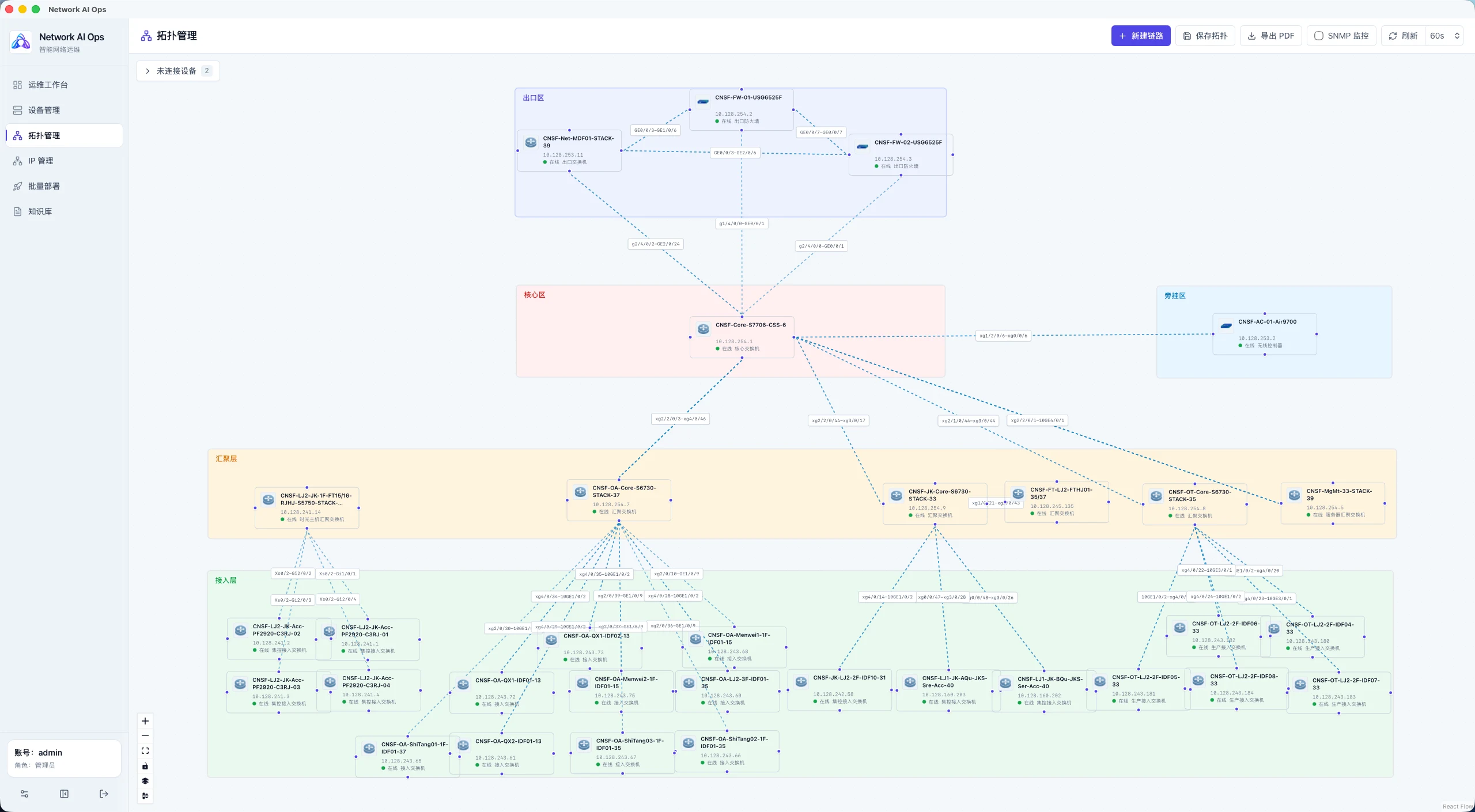
LLDP/CDP neighbor data and NetBox Cable records are used to build and validate topology.
ARP, MAC, VLAN, interface, and device evidence is correlated to trace endpoint access paths.
Inspection tasks collect device state and combine it with the knowledge base to produce reviewable conclusions.
Commands or configurations can be sent to multiple connected devices while preserving execution results for verification.
Published:2026-08-01
Content updated:2026-08-02
923ed8ba4b303d5dd72e57e9c513e0d465f8631619dd5a5104a0ca3fc2a708b4492320e77721b566643918b7c285d79172de0848a6a0f894236ac235e4bf58a0For personal learning, technical validation, small-scale testing, and non-production evaluation.
Existing data remains available in the Evaluation Edition; advanced capabilities follow the extended licensing scope.
Production or organization-wide use requires prior confirmation of the licensing scope.
Traditional NMS focuses on monitoring and alerting. Network AI Ops focuses on diagnosis, automation, and evidence chain preservation.
AgenticOps targets multi-system event correlation with a server-side multi-agent loop. Network AI Ops is a desktop app for day-to-day engineer troubleshooting and operations.
Ansible specializes in configuration push and orchestration. Network AI Ops adds progressive diagnosis like topology, endpoint tracing, and AI inspection.
No. Core device, topology, collection, and audit workflows run locally; AI features use the model connection configured by the user.
Version 1.2.1 provides Windows x64 and macOS Apple Silicon installers. Intel Macs are not supported.
It combines IP, MAC, VLAN, gateway, aggregation, and access evidence to identify the access path and final switch port.
It is intended for learning, technical validation, small tests, and non-production evaluation. Production or organization-wide use requires licensing confirmation.
Network AI Ops is a desktop app for daily troubleshooting, topology, AI inspection, and batch deployment. AgenticOps is a server-side open-source platform for multi-system event correlation with multi-agent diagnosis. They can be used independently or together.
Device credentials, collected data, and audit logs stay in the desktop app's local environment. AI features use a model connection you configure — the provider does not automatically receive your device data.
No complete English guide is published for this product yet.
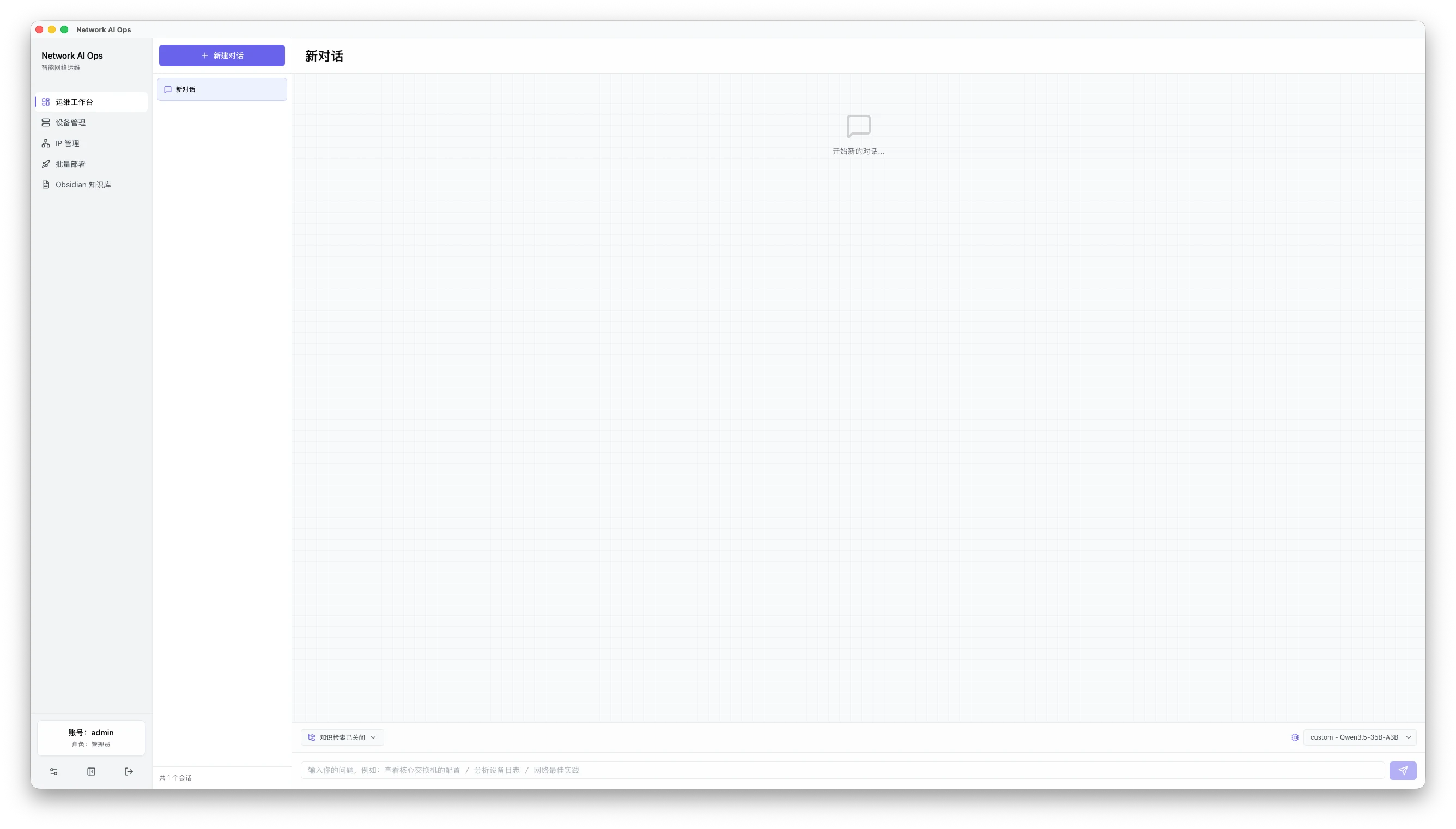
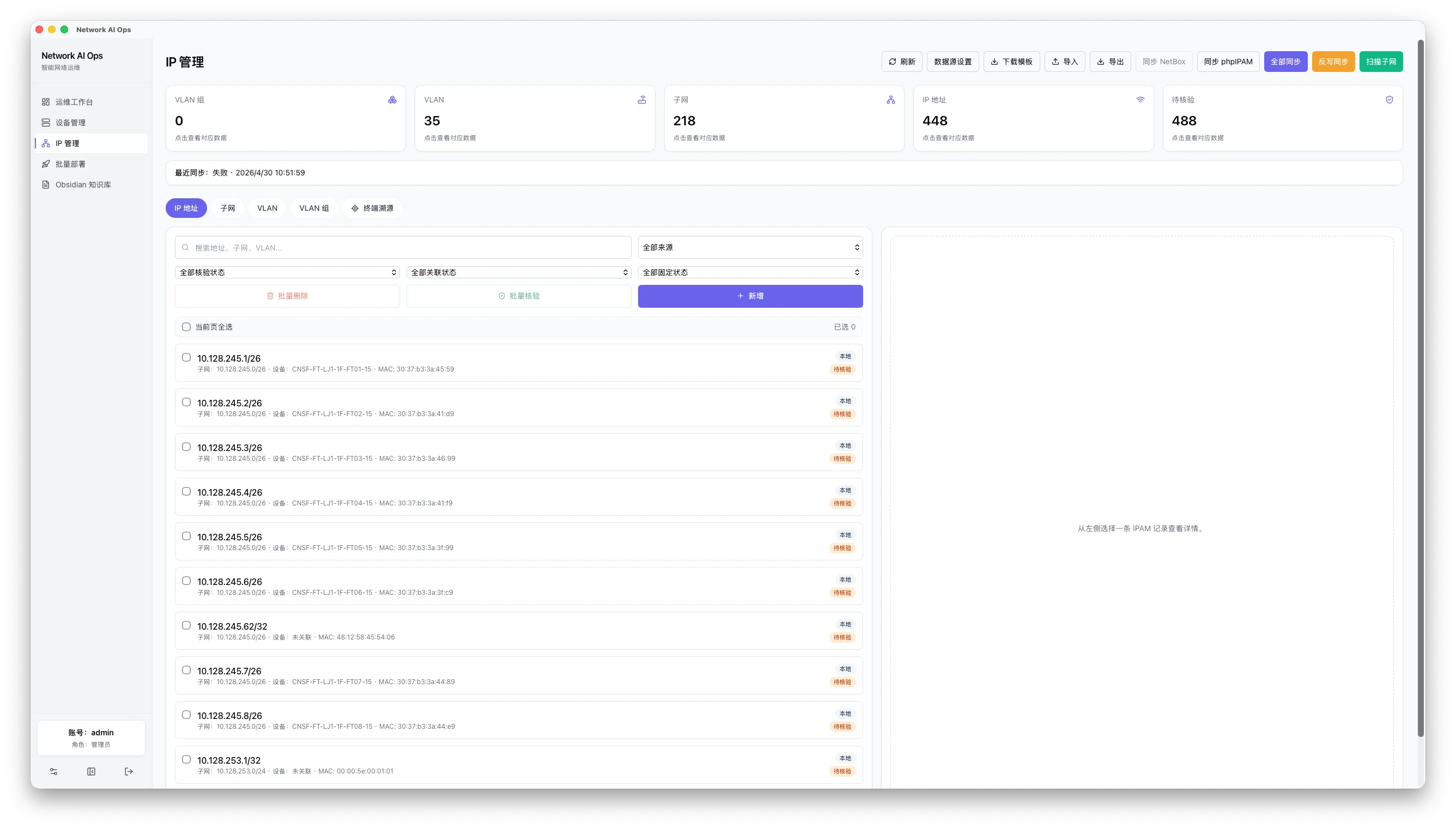
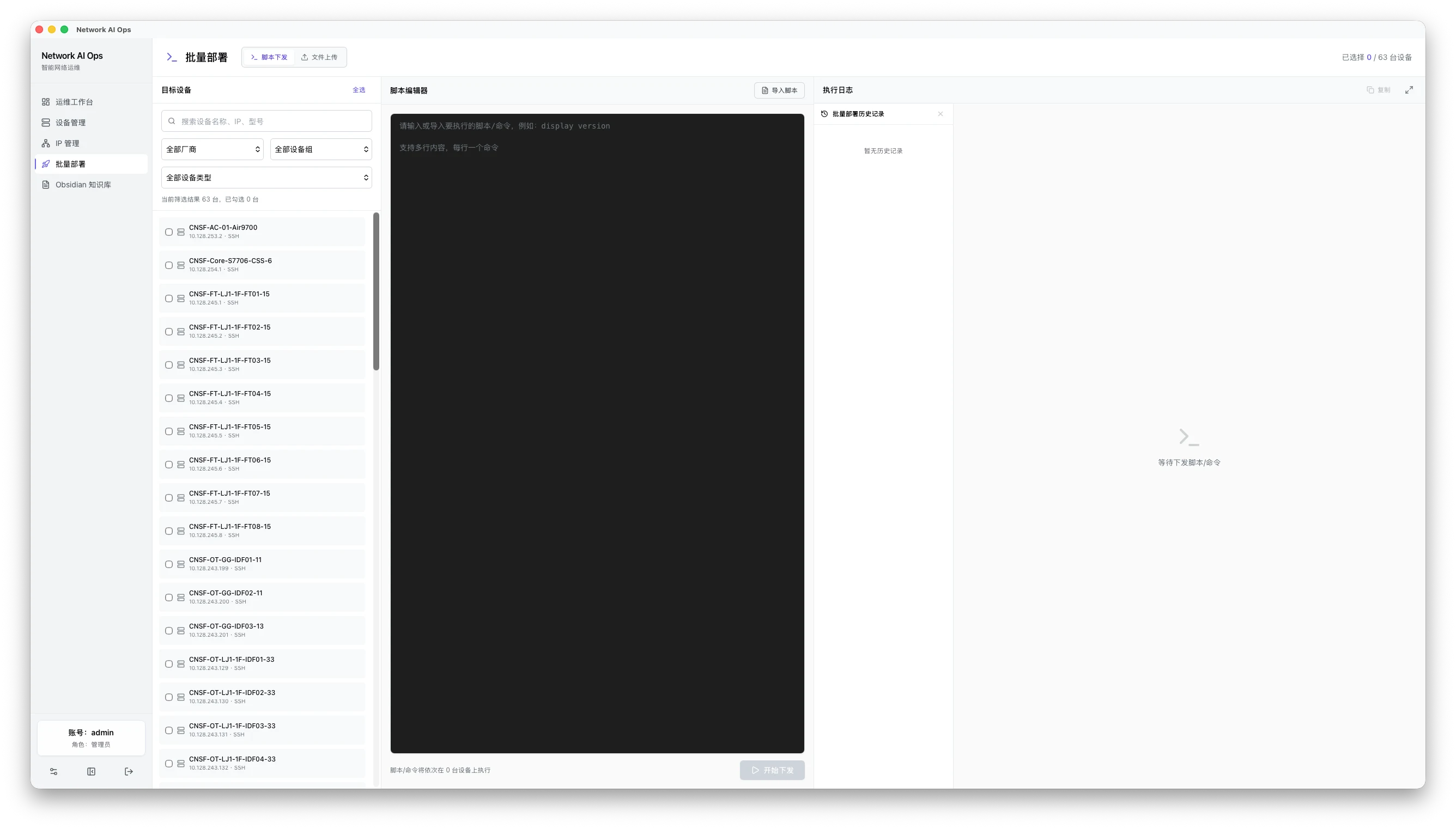
Natural-language tasks, knowledge selection, run traces, and diagnosis output in one workspace.
Layered topology, device placement, links, and SNMP status in one view.
Manage VLANs, prefixes, IPs, scanning, and endpoint trace tasks.
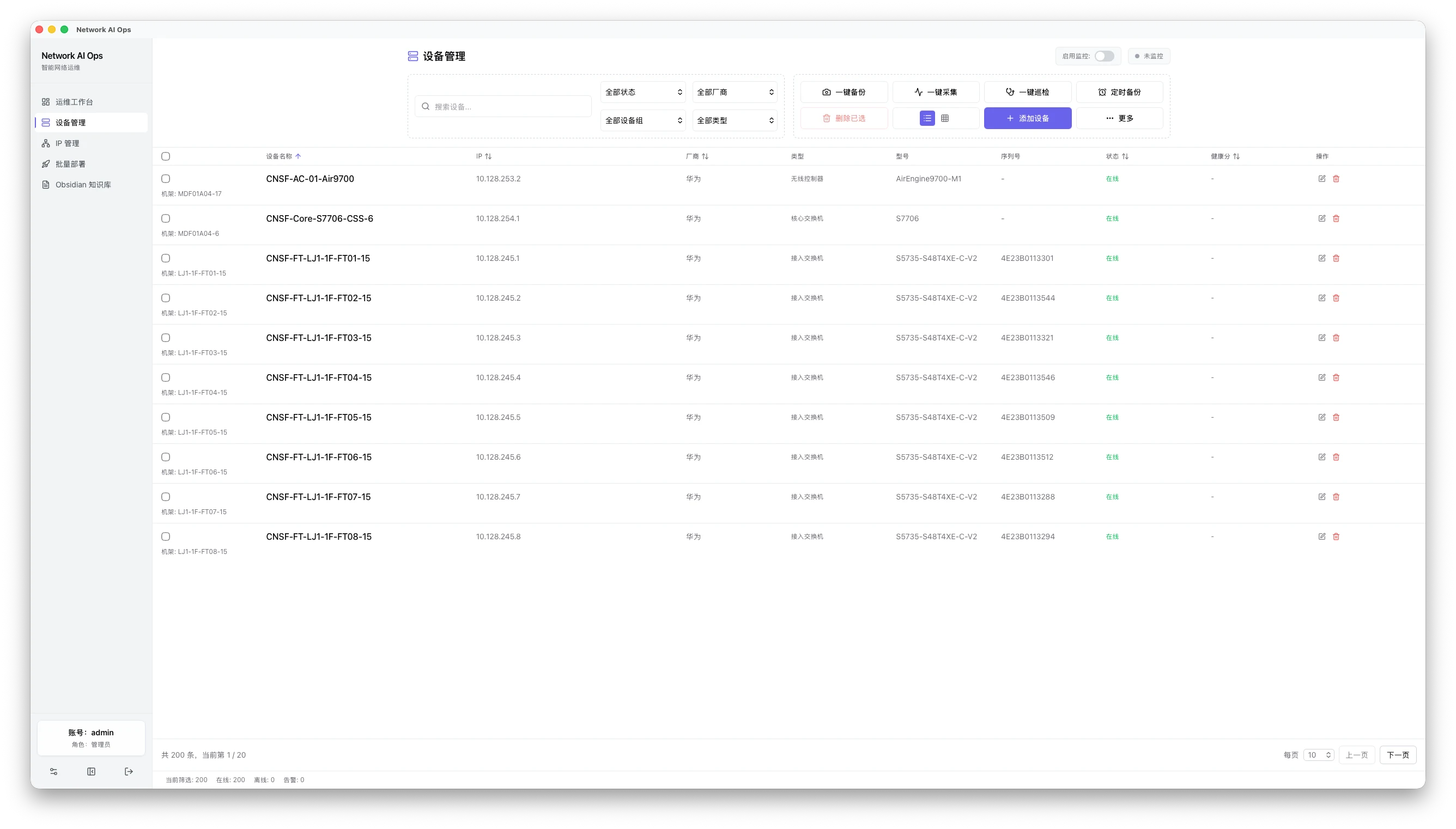
Maintain device inventory, connection profiles, collection history, and config versions.
Review target devices, scripts, uploads, execution logs, and audit results together.
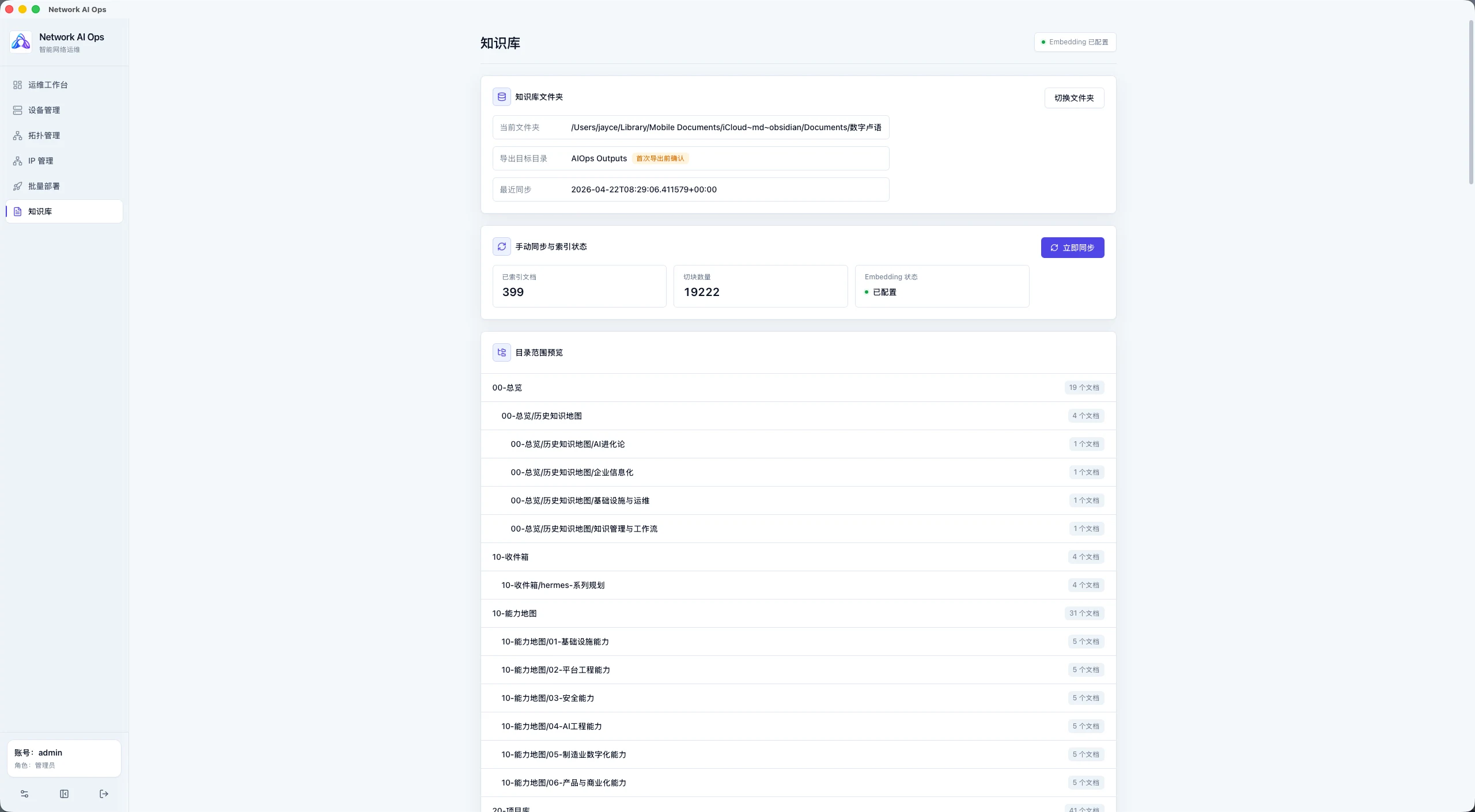
Sync Markdown, PDF, Office, and CSV documents into the diagnosis flow.
Configure models, embeddings, SMTP/Webhook, backups, and enterprise controls.